|
<< Click to Display Table of Contents >> Unreleased Future Orders Screen - Order Detail |
  
|
|
<< Click to Display Table of Contents >> Unreleased Future Orders Screen - Order Detail |
|
Once Future Orders have been placed, the Order Detail may be viewed from the patient Chart by accessing the via the Verify Orders area of the chart (see more information in the Unreleased Future Orders screen chapter). The Future Order Detail is also available via Order Chronology until the order is released and becomes Active. Once orders have been released, they will display on the Physician Entered Orders Report.
Select Web Client > Whiteboard List > Select Patient > Verify Orders > Future Orders
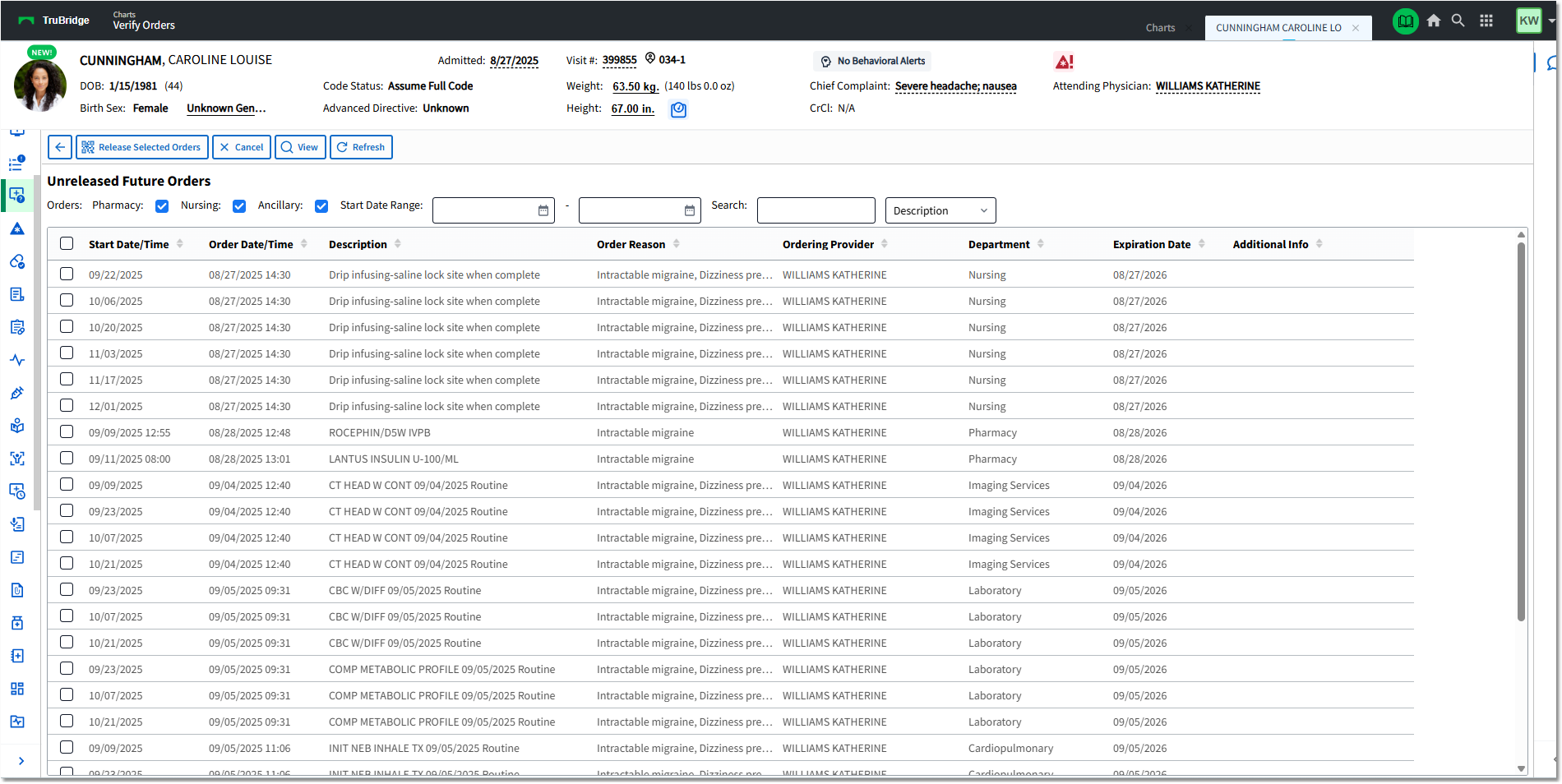
Unreleased Future Orders
Double-click the order or select the checkbox(es) and select View from the action bar to view the Order Detail.
The Future Order Detail will display the following information:
Ancillary Future Order Detail:
•Description: Description of Ancillary Item.
•Item Number: Item Master Number of Ancillary Item
•CPT: Associated CPT Code and Description for Ancillary Item (if applicable)
•Ordering Physician: Provider that placed the order or the provider that was selected during nursing order entry as the ordering provider.
•Order Date/Time/Initials: Date and Time that the order was placed with the initials of the staff or provider that placed the order.
•Scheduled Date/Time: The Date and Time that the order is to be performed
•Collect Date/Time/Initials: The Date and Time and the Initials of the staff that marked the order as Collected
•Expiration Date: A year from the date the order was placed
•Cancel Date/Time: The Date and Time the order was canceled (if applicable)
•Recurrence: Beginning Date and recurrence information
•Originating Account: Account from which the Future Order was placed
•Sign Date/Time/Physician: The Date and Time and Name of the provider that signed the order (the time the provider signed from CPOE or the time the provider signed the order from their Tasks > Future Orders screen).
•Read Back: Displays if entered by Nursing as a Verbal, Telephone, or Protocol order type.
•Order Reason: Description and ICD-10 Code
•OE Questions: OE Question answers, if applicable (e.g., Radiology order Reason for Order)
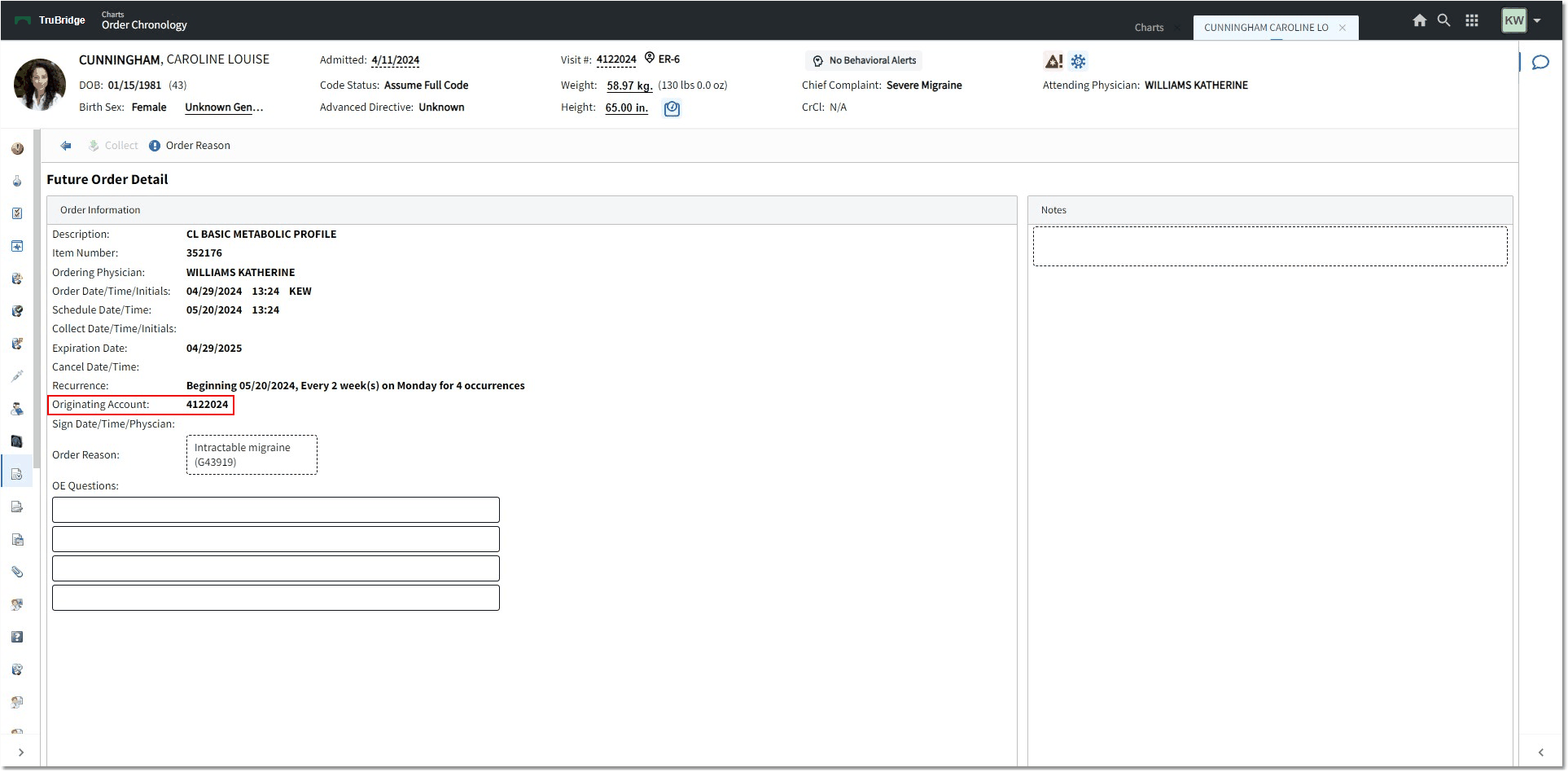
Future Order Detail - Ancillary
Medication Future Order Detail:
•Description: Description of Medication Item
•Item Number: Item Master Number of Medication Item
•CPT: Associated CPT Code and Description for Medication Item (if applicable)
•Flowrate (IV Only): Flowrate of IV item (ml/hr)
•Administer Amount (Non-IV Only): Indicated amount to be administered
•Route: Route of IV, Non-IV, Diabetic Record item
•Frequency: Frequency of the selected medication
•Duration: Number of Doses (if indicated). This field is optional in Order Entry.
•Priority: Routine or Stat. Routine is the default.
•Start Date/Time: Date and Time that the medication should be administered
•Stop Date/Time: Date and Time that the medication should be stopped (if applicable).
•Ordering Physician: Provider that placed the order or the provider that was selected during nursing order entry as the ordering provider.
•Order Date/Time/Initials: The Date and Time of when the order was placed and the Initials of the staff member who placed the order.
•Expiration Date: A year from the date the order was placed
•Originating Account: Account from which the Future Order was placed
•Sign Date/Time/Physician: The Date and Time and Name of the provider that signed the order (the time the provider signed from CPOE or the time the provider signed the order from their Tasks > Future Orders screen).
•Read Back: Displays if entered by Nursing as a Verbal, Telephone, or Protocol order type.
•Order Reason: Description and ICD-10 Code
•Instructions: Special instructions that are built on the item itself or added during Order Entry
•Components: IV Only
•Clinical Monitoring: Clinical Monitoring results for the order
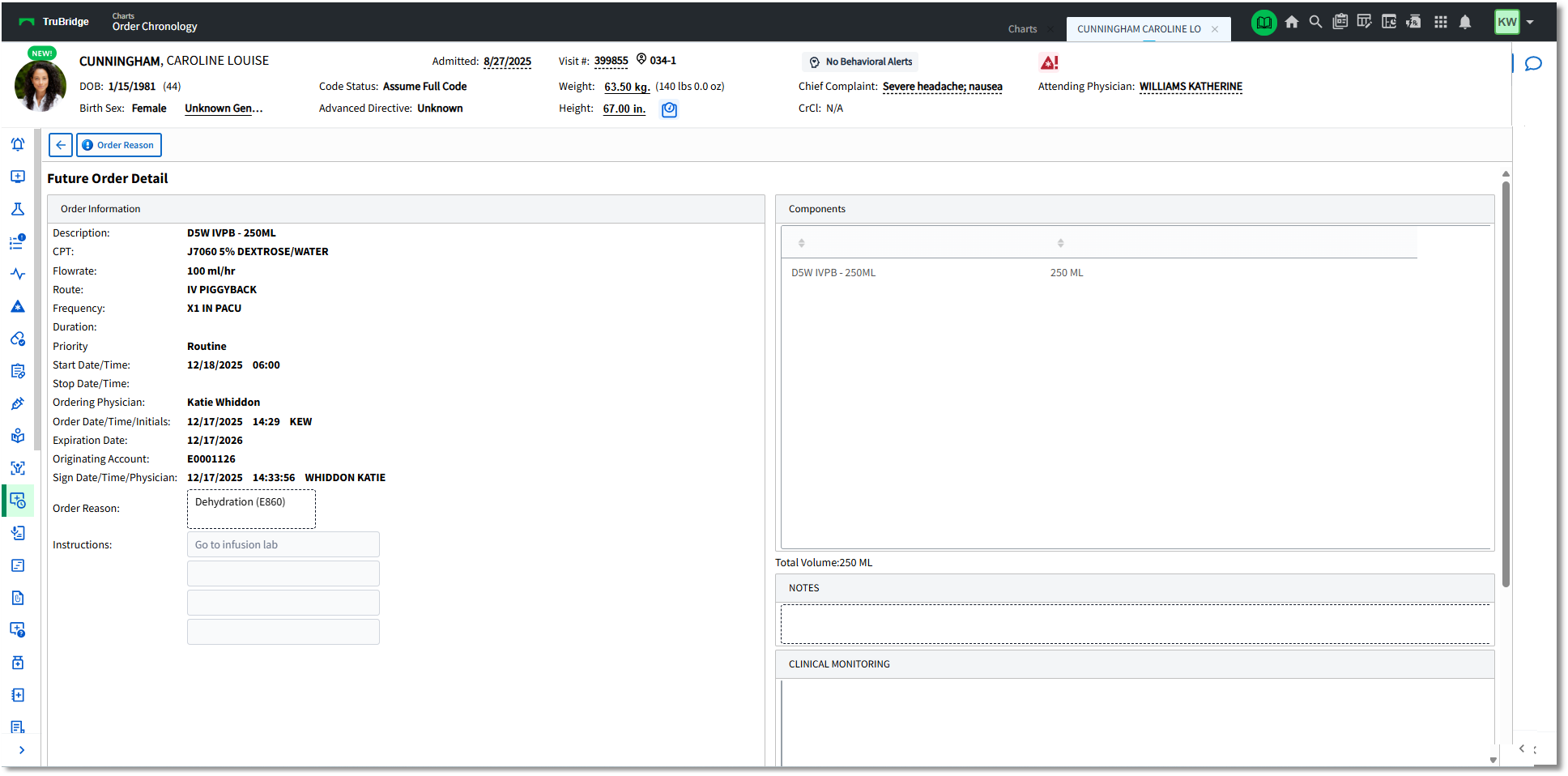
Future Order Detail - Pharmacy
Nursing Future Order Detail:
•Description: Description of Nursing Order.
•Category: The nursing order's assigned Category from the Nursing Orders/Categories Table.
•Start Date/Time: Date and Time that the nursing order should be performed
•Stop Date/Time: Date and Time that the nursing order should be completed (if indicated).
•Ordering Physician: Provider that placed the order or the provider that was selected during nursing order entry as the ordering provider.
•Order Date/Time/Initials: Date and Time that the order was placed with the initials of the staff or provider that placed the order.
•Recurrence: Beginning Date and recurrence information
•Originating Account: Account from which the Future Order was placed
•Sign Date/Time/Physician: The Date and Time and Name of the provider that signed the order (the time the provider signed from CPOE or the time the provider signed the order from their Tasks > Future Orders screen).
•Read Back: Displays if entered by Nursing as a Verbal, Telephone, or Protocol order type.
•Expiration Date: A year from the date the order was placed
•Order Reason: Description and ICD-10 Code
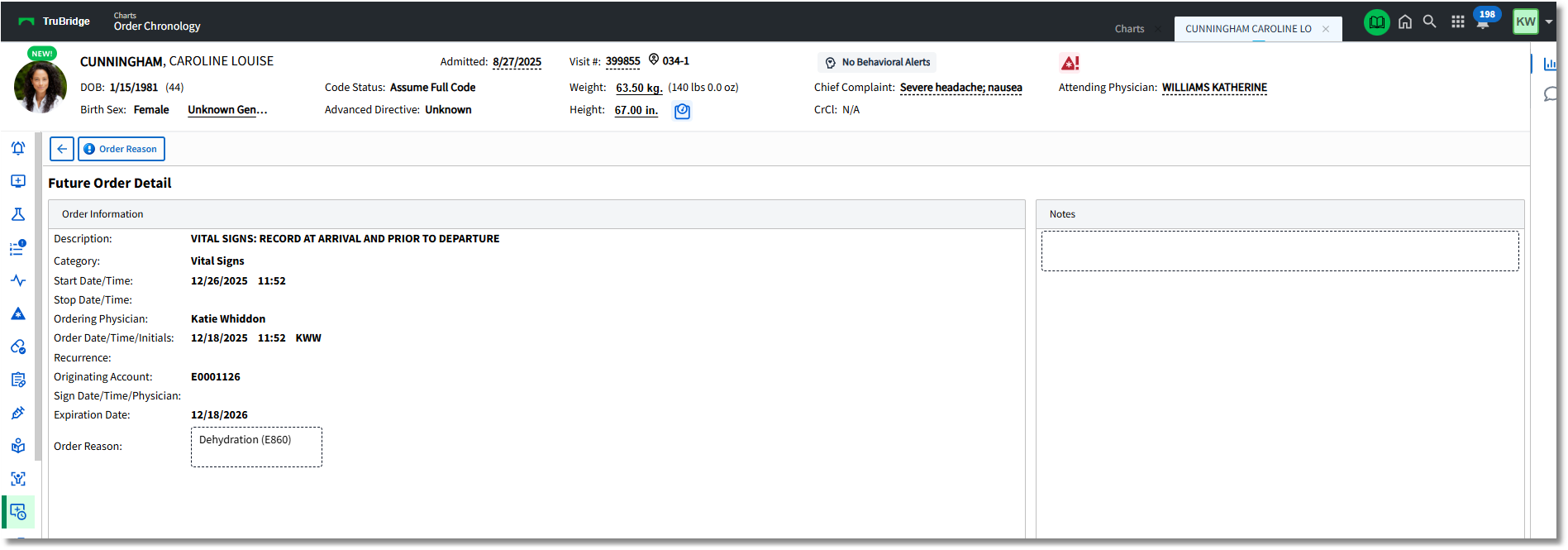
Future Order Detail - Nursing
Order Requisitions may be printed for Nursing Orders or Ancillary Orders by selecting the order and then selecting Order Req from the action bar in Order Chronology. The Order Reason will display on the Order Requisition.
•Any OE Questions associated with ancillary orders will also print to the Order Requisition, if applicable.
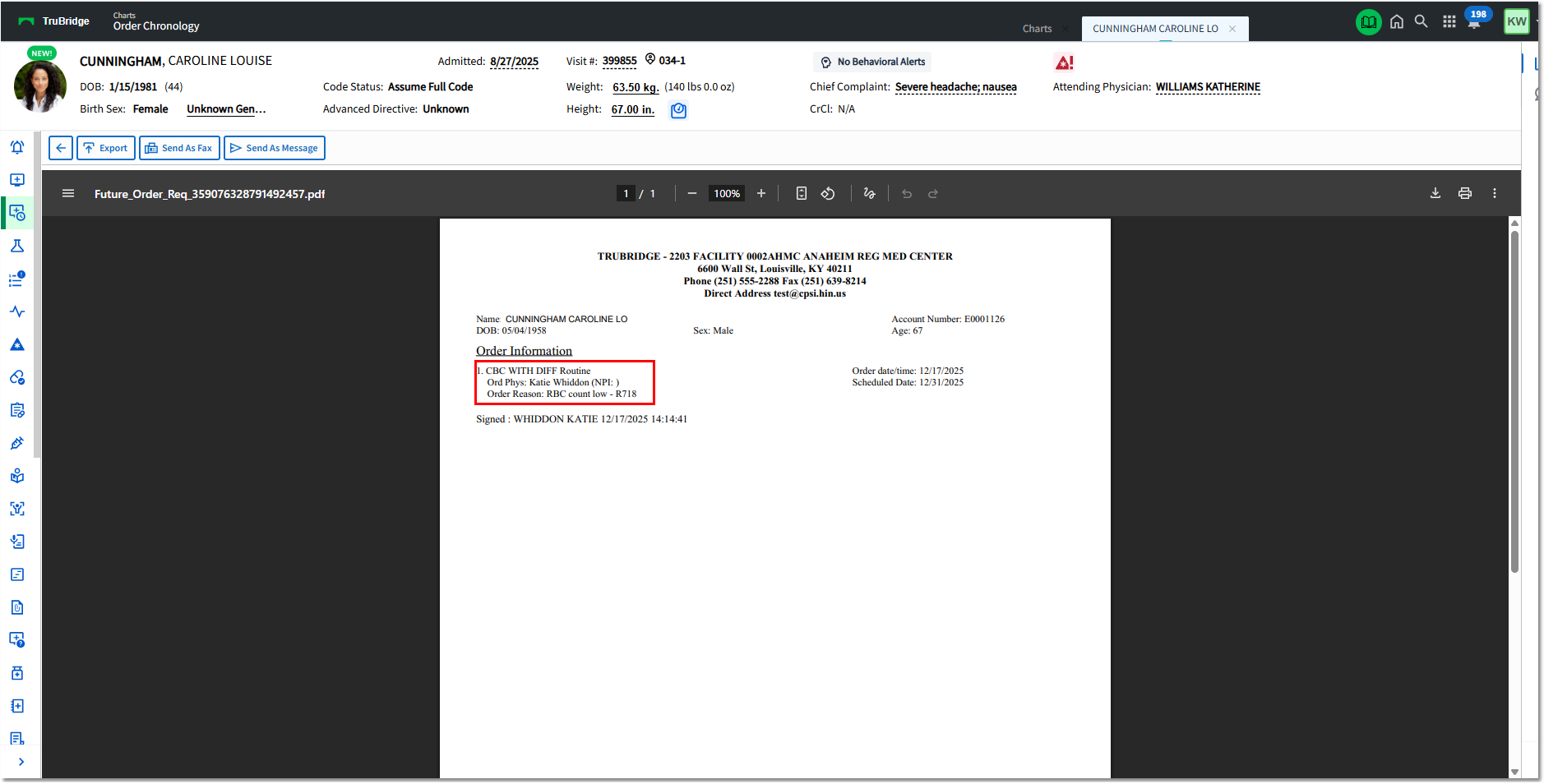
Order Requisition