|
<< Click to Display Table of Contents >> Order Chronology - Order Detail |
![]() ![]()
|
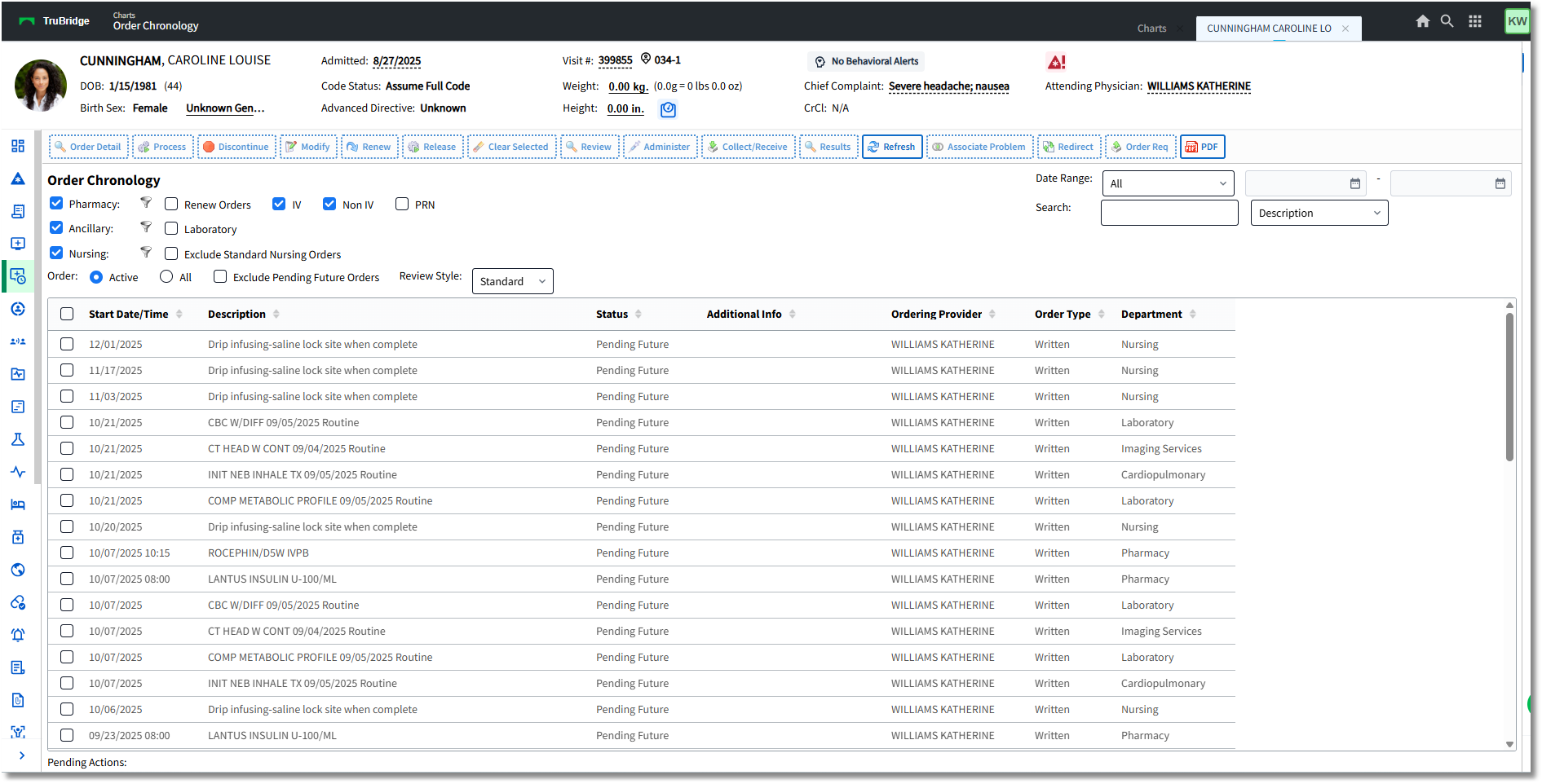
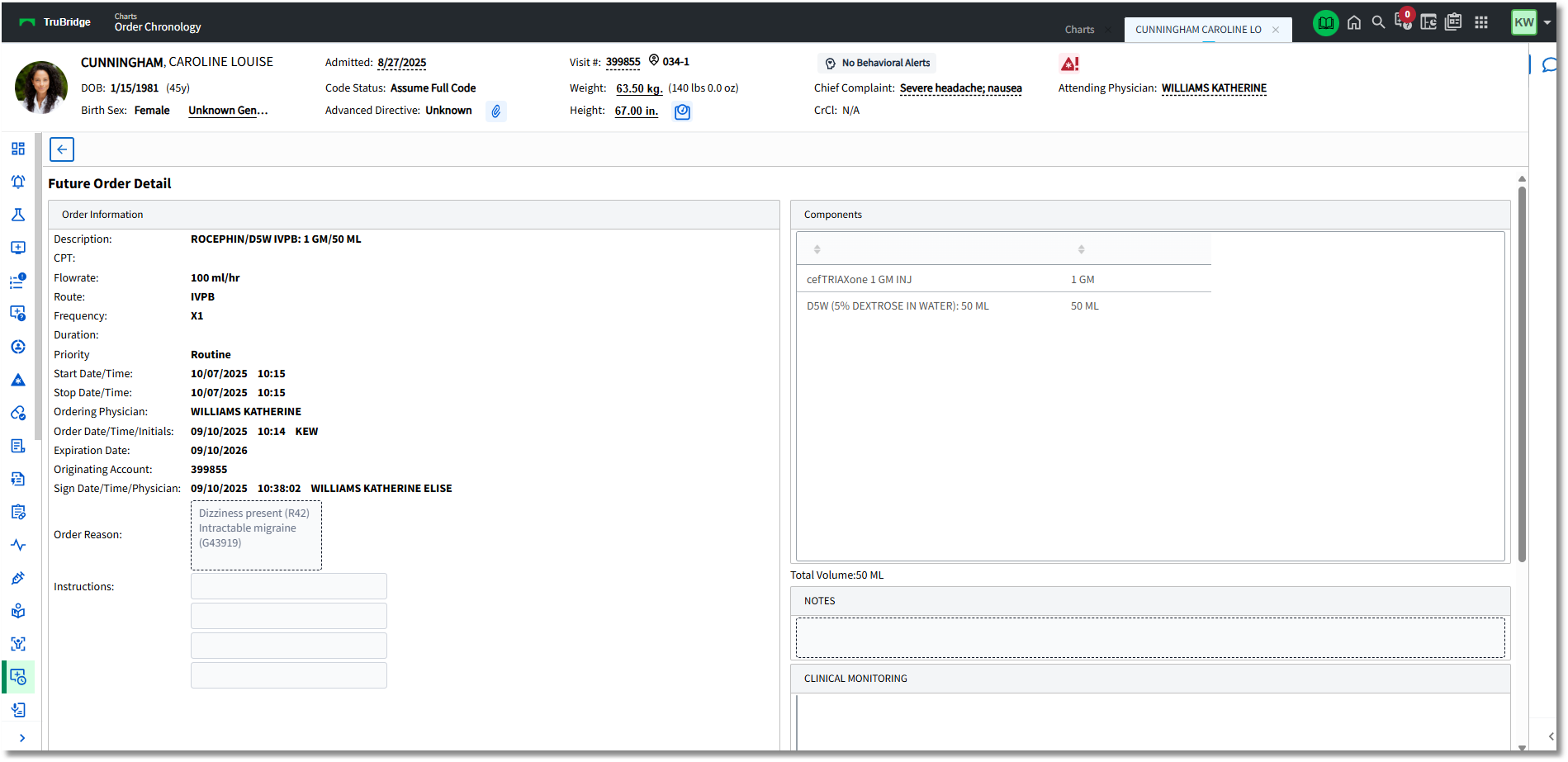
•Select a Pending Future Order to view the detail, which will display information including the Order Reason and the Originating Account number from which the Future Orders were placed. The Order Reason option is available on the action bar if the Order Reason needs to be changed or if additional reasons need to be added.
•Once the provider has signed the order, the Sign Date/Time/Physician will populate the information in the Future Order Detail screen.
Order Chronology
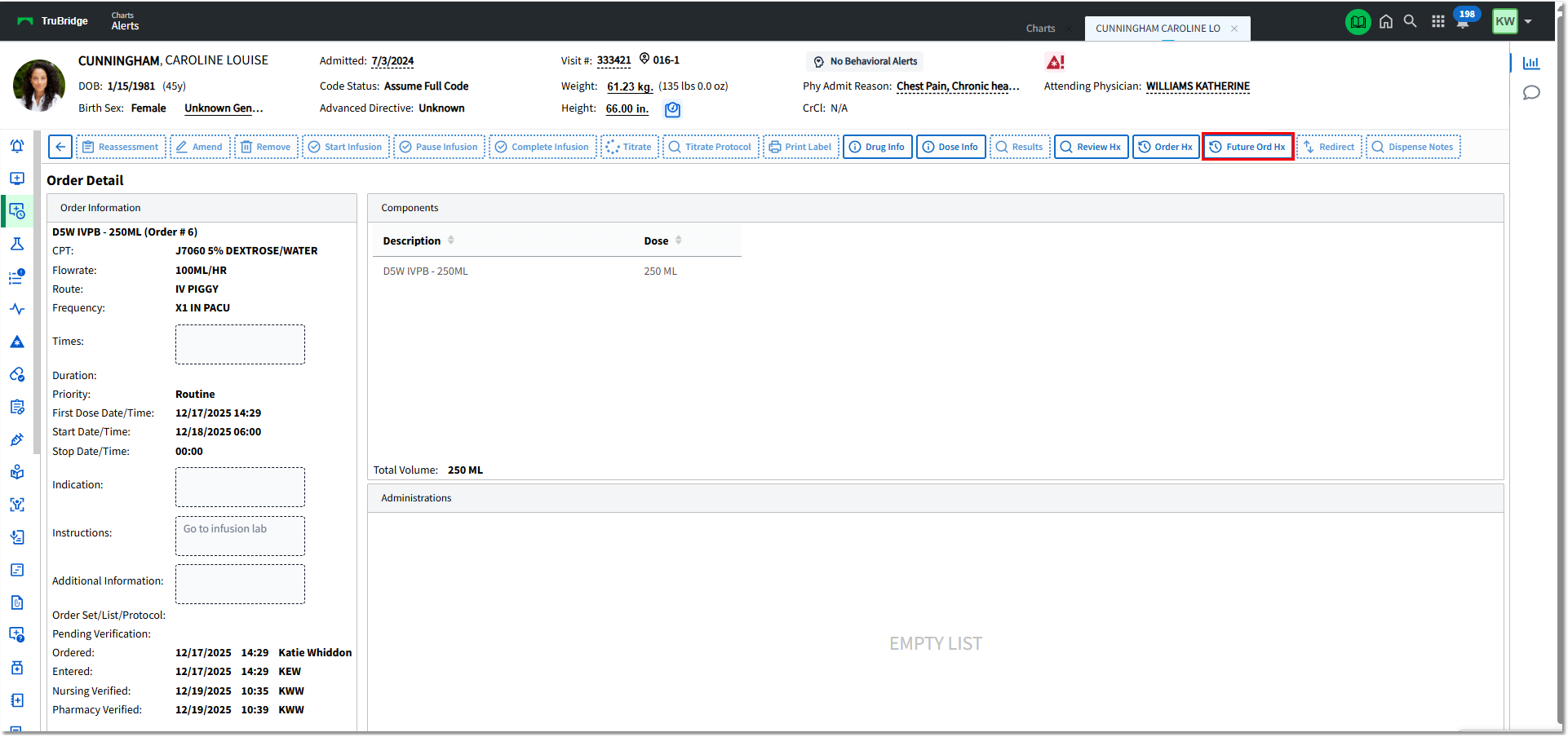
Once the Future Order has been released, it will become an Active Order and will display the standard Order Detail screen, including the Provider that Ordered the item and the Provider or Employee that Entered the order along with the date/time.
The Future Order Detail screen may be accessed by selecting the Future Order Hx button on the action bar of the Order Detail screen.

Order Detail
Order Detail may also be viewed from the patient Chart > Verify Orders > Future Orders and accessing the Unreleased Future Orders screen.

Verify Orders - Unreleased Future Orders
Unreleased Future Order Detail will display the following information:
Ancillary Future Order Detail:
•Description: Description of Ancillary Item.
•Item Number: Item Master Number of Ancillary Item
•CPT: Associated CPT Code and Description for Ancillary Item (if applicable)
•Ordering Physician: Provider that placed the order or the provider that was selected during nursing order entry as the ordering provider.
•Order Date/Time/Initials: Date and Time that the order was placed with the initials of the staff or provider that placed the order.
•Scheduled Date/Time: The Date and Time that the order is to be performed
•Collect Date/Time/Initials: The Date and Time and the Initials of the staff that marked the order as Collected
•Expiration Date: A year from the date the order was placed
•Cancel Date/Time: The Date and Time the order was canceled (if applicable)
•Recurrence: Beginning Date and recurrence information
•Originating Account: Account from which the Future Order was placed
•Sign Date/Time/Physician: The Date and Time the provider signed the order (the time the provider entered in CPOE or the time the provider signed the order from their Tasks > Future Orders screen).
•Order Reason: Description and ICD-10 Code
•OE Questions: OE Question answers, if applicable (e.g., Radiology order Reason for Order)

Future Order Detail
Medication Future Order Detail:
•Description: Description of Medication Item
•Item Number: Item Master Number of Medication Item
•CPT: Associated CPT Code and Description for Medication Item (if applicable)
•Flowrate (IV Only): Flowrate of IV item (ml/hr)
•Administer Amount (Non-IV Only): Indicated amount to be administered
•Route: Route of IV, Non-IV, Diabetic Record item
•Frequency: Frequency of the selected medication
•Duration: Number of Doses (if indicated). This field is optional in Order Entry.
•Priority: Routine or Stat. Routine is the default.
•Start Date/Time: Date and Time that the medication should be administered
•Stop Date/Time: Date and Time that the medication should be stopped (if applicable).
•Ordering Physician: Provider that placed the order or the provider that was selected during nursing order entry as the ordering provider.
•Order Date/Time/Initials: The Date and Time of when the order was placed and the Initials of the staff member who placed the order.
•Expiration Date: A year from the date the order was placed
•Originating Account: Account from which the Future Order was placed
•Sign Date/Time/Physician: The Date and Time the provider signed the order (the time the provider entered in CPOE or the time the provider signed the order from their Tasks > Future Orders screen).
•Order Reason: Description and ICD-10 Code
•Instructions: Special instructions that are built on the item itself or added during Order Entry
•Components: IV Only
•Clinical Monitoring: Clinical Monitoring results for the order

Future Order Detail
Nursing Future Order Detail:
•Description: Description of Nursing Order.
•Category: The nursing order's assigned Category from the Nursing Orders/Categories Table.
•Start Date/Time: Date and Time that the nursing order should be performed
•Stop Date/Time: Date and Time that the nursing order should be completed (if indicated).
•Ordering Physician: Provider that placed the order or the provider that was selected during nursing order entry as the ordering provider.
•Order Date/Time/Initials: Date and Time that the order was placed with the initials of the staff or provider that placed the order.
•Recurrence: Beginning Date and recurrence information
•Originating Account: Account from which the Future Order was placed
•Sign Date/Time/Physician: The Date and Time the provider signed the order (the time the provider entered in CPOE or the time the provider signed the order from their Tasks > Future Orders screen).
•Expiration Date: A year from the date the order was placed
•Order Reason: Description and ICD-10 Code

Future Order Detail
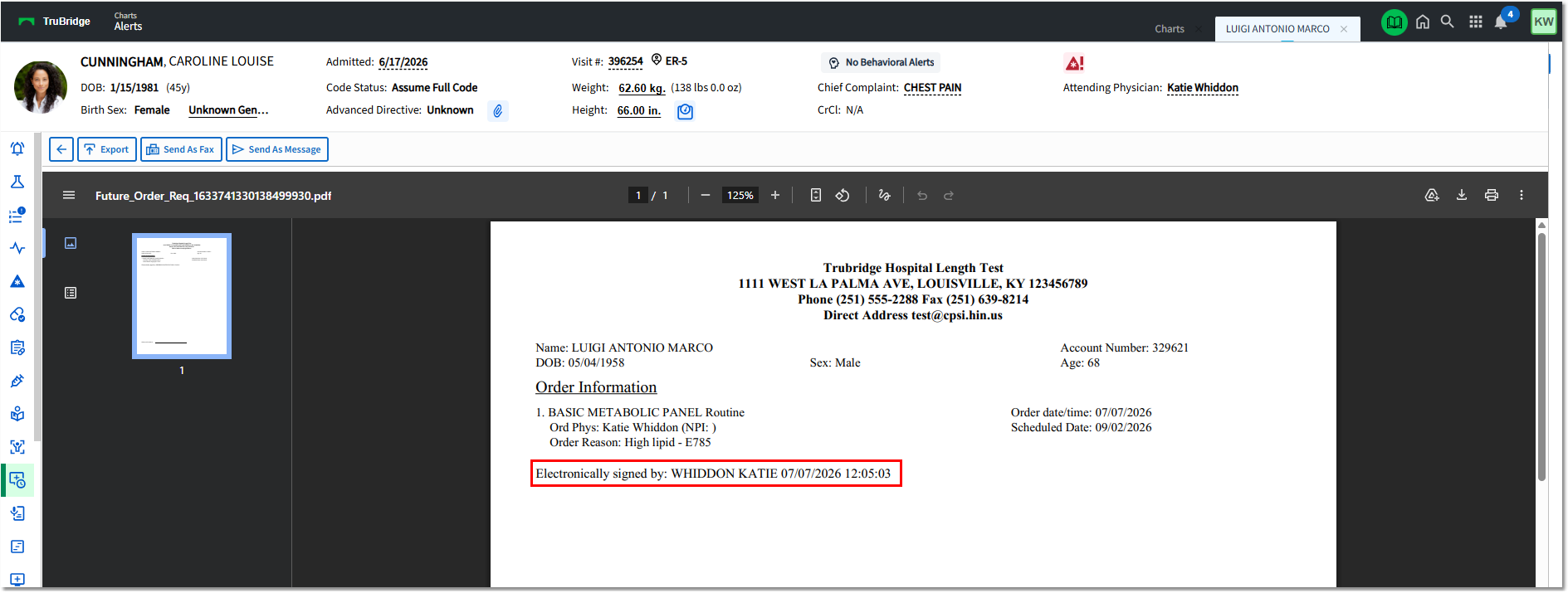
Order Requisitions may be printed for Nursing Orders or Ancillary Orders by selecting the order and then selecting Order Req from the action bar in Order Chronology. The Order Reason will display on the Order Requisition.
•Any OE Questions associated with ancillary orders will also print to the Order Requisition, if applicable.
•

Order Requisition