|
<< Click to Display Table of Contents >> Future Order Tasks Folder - Provider Signature |
  
|
|
<< Click to Display Table of Contents >> Future Order Tasks Folder - Provider Signature |
|
If nursing or other staff has placed Future Orders for a provider, the provider will be able to view and sign these orders in their Future Orders Tasks screen folder..
The My Orders check box should be defaulted to checked, which will display just the currently logged-in provider's Future Orders where they were set as the Ordering Provider. Deselecting the My Orders check box will display ALL providers Unreleased/Unsigned Future Orders in the facility.
Selecting Unreleased will display Future Orders that have not yet been released (from the Unreleased Future Orders screen during registration or from the order entry department).
•Selecting Cancel Selected Orders will allow the selected unreleased orders to be canceled.
Selecting the Unsigned radio button will display all Future Orders that are awaiting the provider's Electronic Signature.
•Selecting Sign Selected Orders will prompt the provider to enter their passphrase.
The Order Entered Date range will default to the last 90 days.
The Search field will allow the user to search by patient or provider name to narrow the results in the folder.
Note: Once the provider has signed the order, the Date/Time/Physician will populate to the Future Order Detail screens (where applicable).
Select Web Client > Tasks > Future Orders folder > Unsigned > Sign Selected Orders
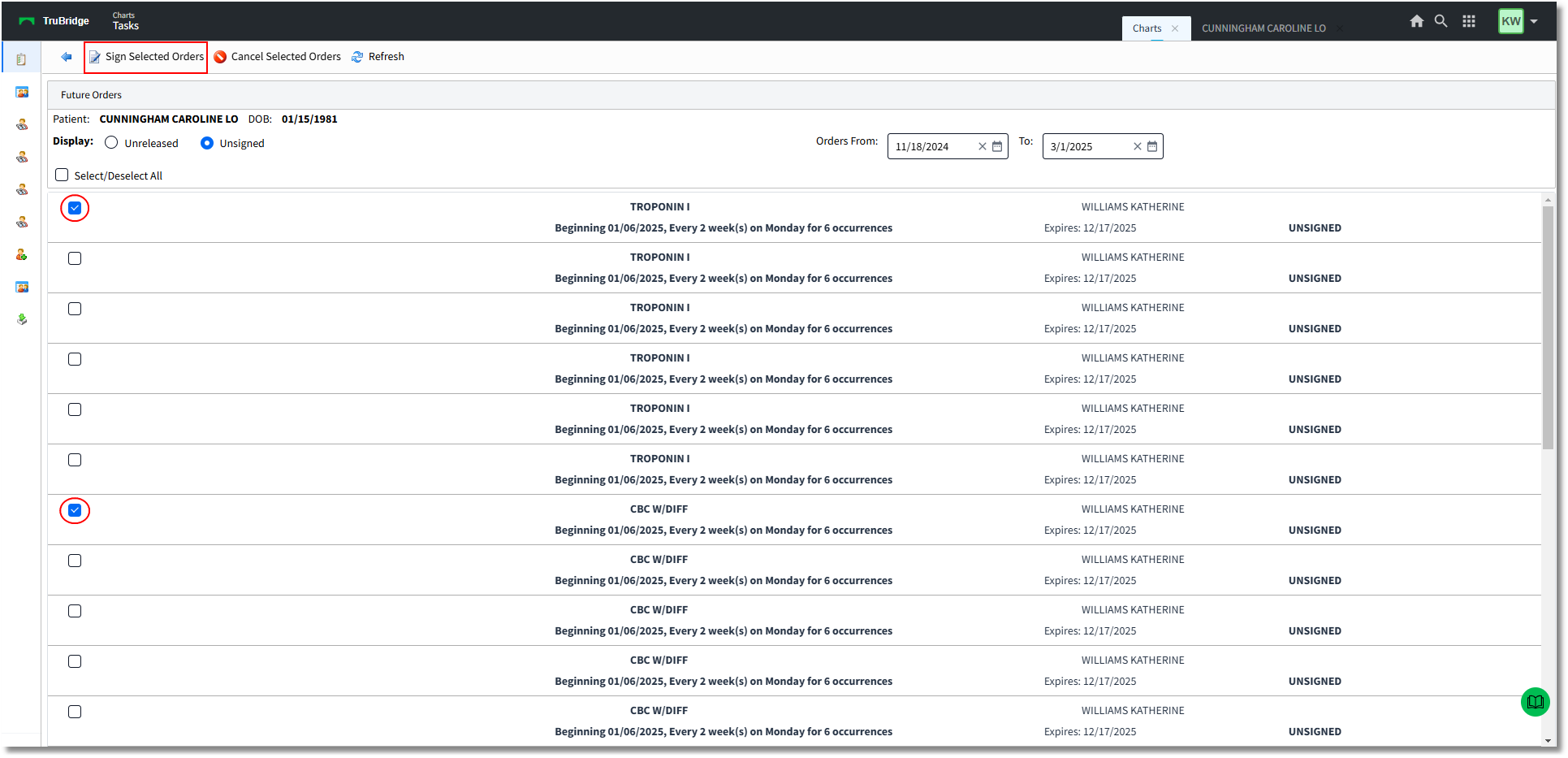
Tasks - Future Orders
The layout of the screen has been arranged to match the provider E-Sign queue folder with the same layout. All orders will display on a visit level (previously displayed on a profile level). The columns will display:
•Patient Name
•Date of Birth
•Description
•Start/Schedule Date
•Entered Date
•Expire Date
•Order Type – e.g. Verbal, Telephone, Written, Protocol, CPOE
•Status – e.g. SIGNED, UNSIGNED, UNSIGNED (RELEASED)
•Ordering Provider
The provider or other users may also access the Unsigned/Unreleased Future Orders screen from System Menu: Hospital Base Menu by selecting the Electronic Signature for Images option and then selecting Future Orders. Only a provider will be able to sign orders.
Select Web Client > System Menu > Hospital Base Menu
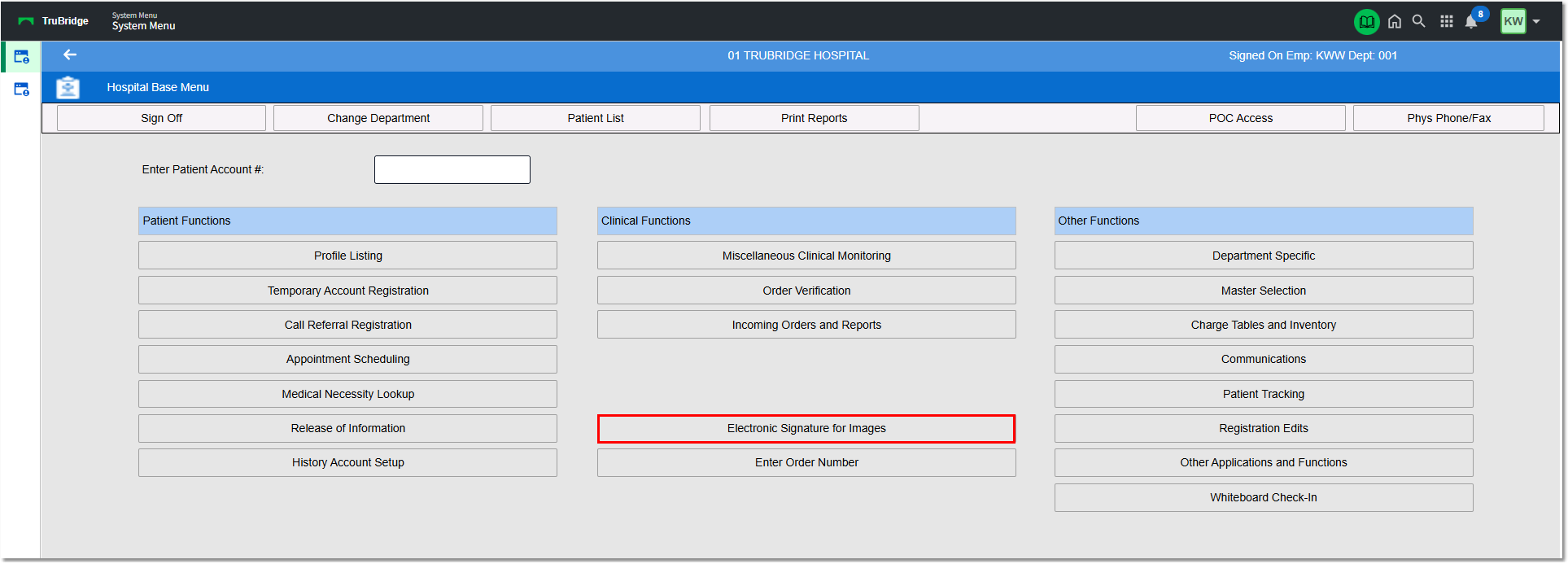
Hospital Base Menu - Electronic Signature for Images
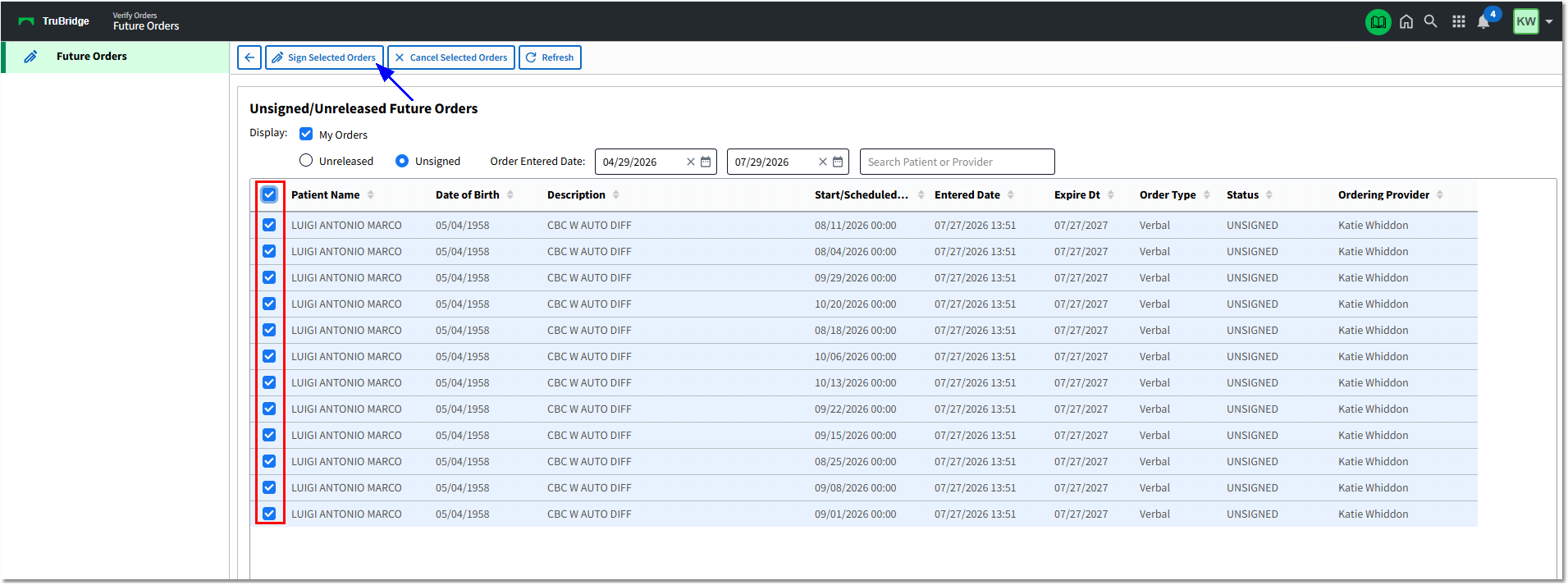
Electronic Signature for Images - Future Orders