|
<< Click to Display Table of Contents >> Referral/Transition of Care Tracking Report |
  
|
|
<< Click to Display Table of Contents >> Referral/Transition of Care Tracking Report |
|
The Referral/Transition of Care Tracking Report is used to track outstanding referrals. To access, go to Report Dashboard and select Referral/Transition of Care Tracking Report.
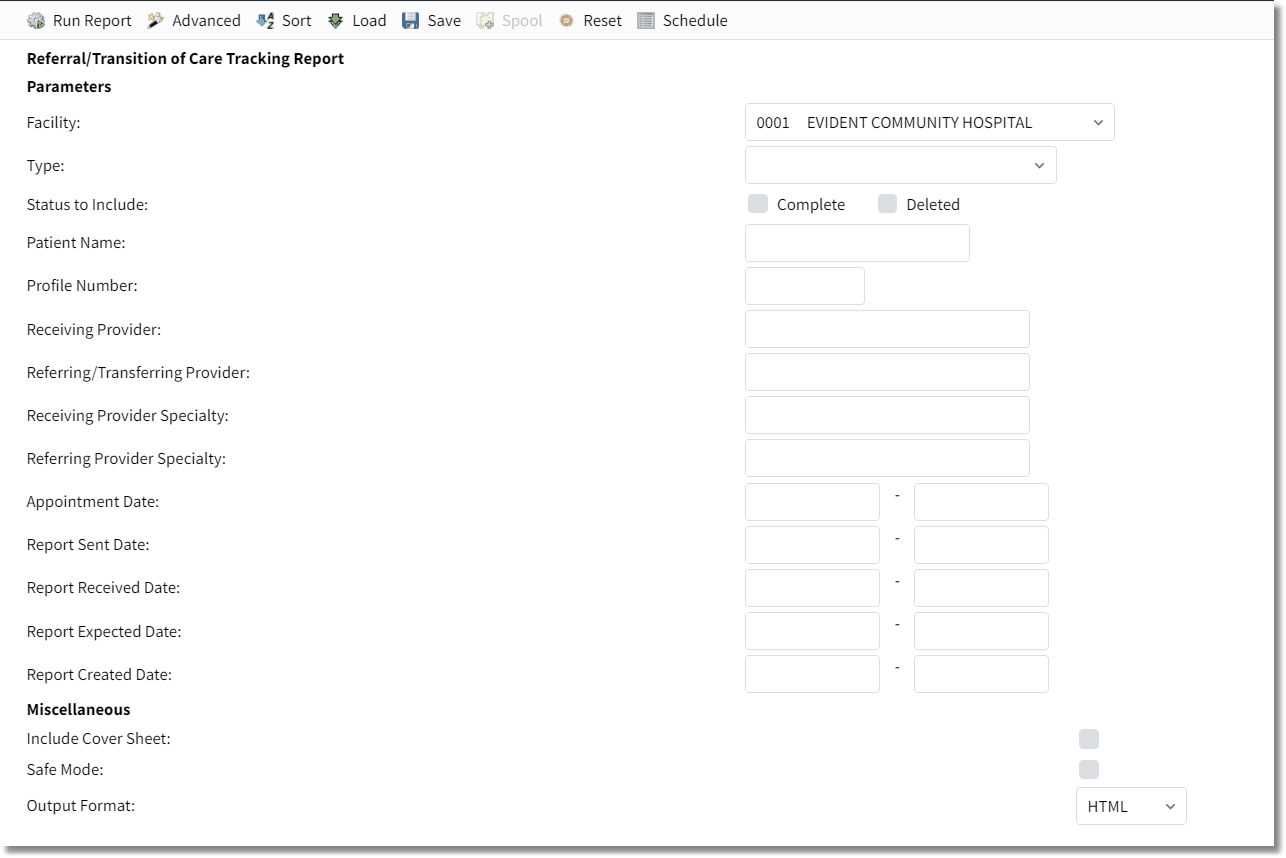
Referral Transition of Care Tracking Report
1.Select options in the following fields to customize the data that appears on the report:
•Facility: This drop-down allows the user to select a facility.
•Type: Allows the user to choose a type of referral: Referral - Outbound, Referral - Inbound, Transition of Care - Outbound, Transition of Care - Inbound, or Self Referral. When Outbound is selected, the Provider field is changed to Referring/Transferring Provider and a Transferring/Referring Provider section is created that will display the physician's information.
•Status to Include: Allows for Complete or Deleted choice.
•Patient Name: Allows for entry of patient name.
•Profile Number: Allows for entry of a specific profile number.
•Receiving Provider: Allows for entry of a specific provider.
•Referring/Transferring Provider: Allows for entry of referring/transferring provider.
•Receiving Provider Specialty: Allows for entry of receiving provider specialty.
•Referring Provider Specialty: Allows for entry of referring provider specialty.
•Appointment date: Allows for entry of appointment date range that falls between and includes dates selected.
•Report Sent Date: Allows for entry of report sent date range.
•Report Received Date: Allows for entry of report received date range.
•Report Expected Date: Allows for entry of report expected date range.
•Report Created Date: Allows for entry of report created date range.
•Include Cover Sheet: Allows user to include a cover sheet.
•Safe Mode: Allows user to run the report in Safe Mode.
2.Select a document type from the Output Format drop-down menu.
3.Select Run Report. See sample report below.

Referral/Transition of Care Tracking Report
The following information is displayed on the report:
•Profile Number: This area displays the patient's profile number.
•Account Number: This area displays the account number.
•Type: This area displays the type of transition/referral.
•Status: This area displays the status: Incomplete, Complete, or Deleted. Incomplete is the default.
•Created: This area displays date created.
•Appt Dt: This area displays the appointment date.
•Sent Dt: This area displays the date sent.
•Received Dt: This area displays the date received.
•Expected Dt: This area displays the expected date.
•Patient: This area displays patient name.
•Receiving Provider: This area displays the receiving provider as well as their address and phone number.
•Referring Provider: This area displays the referring provider as well as their address and phone number.
•DOB: This area displays the patient's date of birth.
•Additional Info: This area displays any documented additional information.
•Reason for Referral: This area displays an explanation for the referral.
NOTE: Facilities outside of the United States utilize a different address format. If a foreign address format is used, the province/territory and postal code appear on the Referral/Transition of Care report. A TruBridge representative will need to be contacted for the foreign address fields to be activated.