|
<< Click to Display Table of Contents >> Transfer Orders |
  
|
|
<< Click to Display Table of Contents >> Transfer Orders |
|
An option is available for Transfer Orders on the action bar. The user may transfer orders from a previous account to the current patient account by selecting this option.
Select Order Entry > Transfer Orders
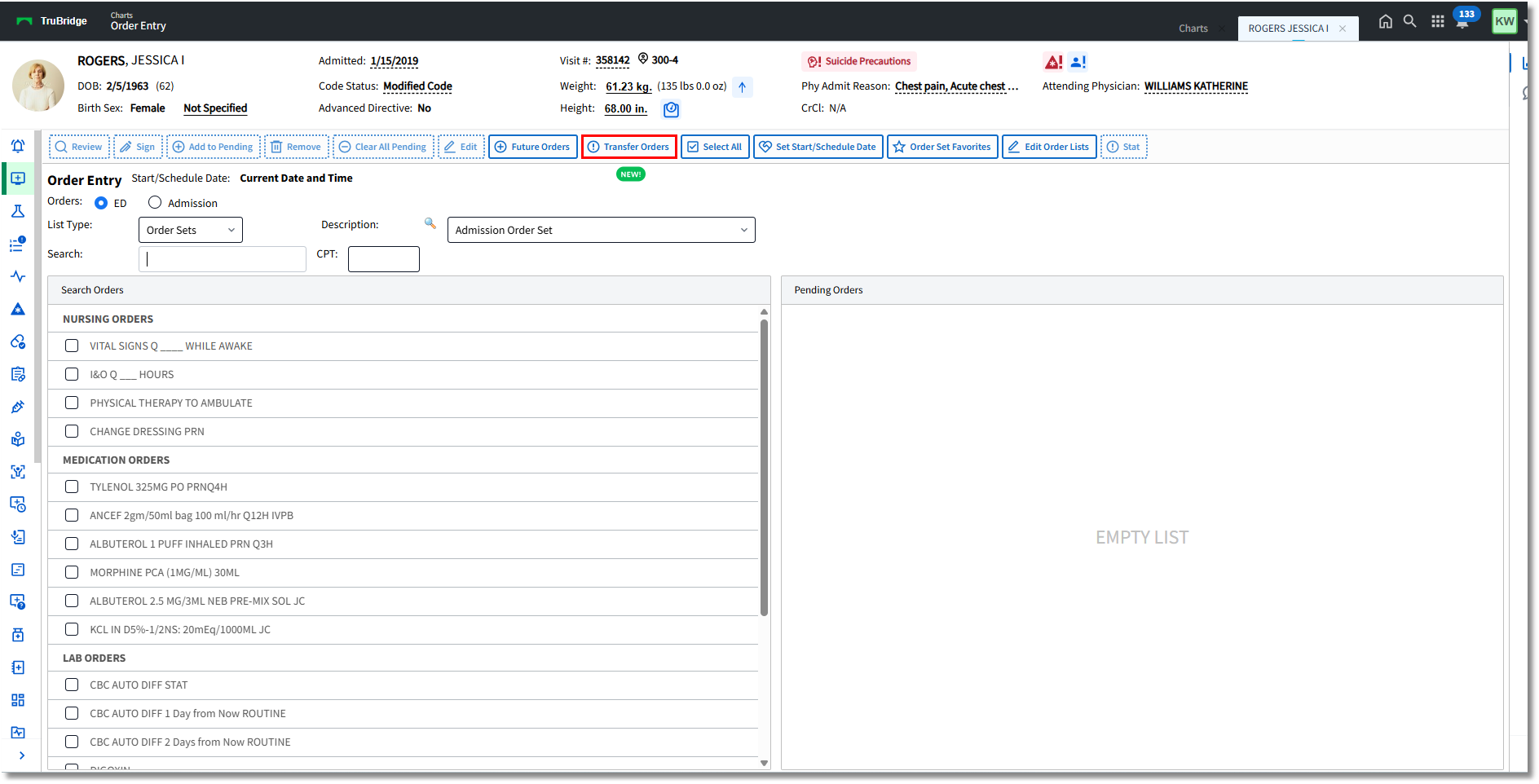
Order Entry
The system will prompt for the account number the orders will be transferred from. The field will default to the most recent visit # listed for the patient.
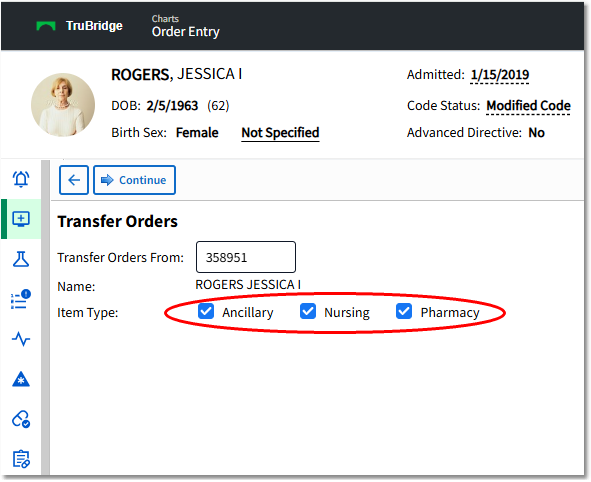
•The item types that are to be transferred are available with check box selections.
•Once Continue is selected, the user will see the transferred orders in the Pending Orders box on the Order Entry screen. The order data from the previous account/visit will still apply to the new orders (Indication, PRN Reason, Physician ChartLink Questions/CL Phys Questions, OE Questions).
•When the provider addresses all order requirements and is ready to sign, the provider's signature will apply to all of the transferred orders as well as to the Discontinue orders for the previous account/visit. The new orders and the Discontinue orders from the previous account will then be sent through the nursing verification process as well as pharmacy and ancillary verification (if applicable).
•NOTE: Ancillary orders from departments not set up to allow transfer will not be moved to a new account. (Please see Allow Xfer of Ancil Orders in the Ancillary Reference user guide.)