|
<< Click to Display Table of Contents >> Releasing Future Orders from the Person Profile and Census |
  
|
|
<< Click to Display Table of Contents >> Releasing Future Orders from the Person Profile and Census |
|
Accessing the patient profile search from the System Menu screen and searching for the patient will bring up a list of matching patient name(s). Once the patient name is found, double-click on the name to access the AR - Person Profile screen. Future Orders will be available at the bottom of this screen.
Note: Future Orders will only be visible for profiles that have Future Orders pending. If Future Orders that were placed have expired, the option will not be accessible.
Select Web Client > System Menu > Hospital Base Menu > Profile Listing > Search patient name > Select Patient Profile > Future Orders
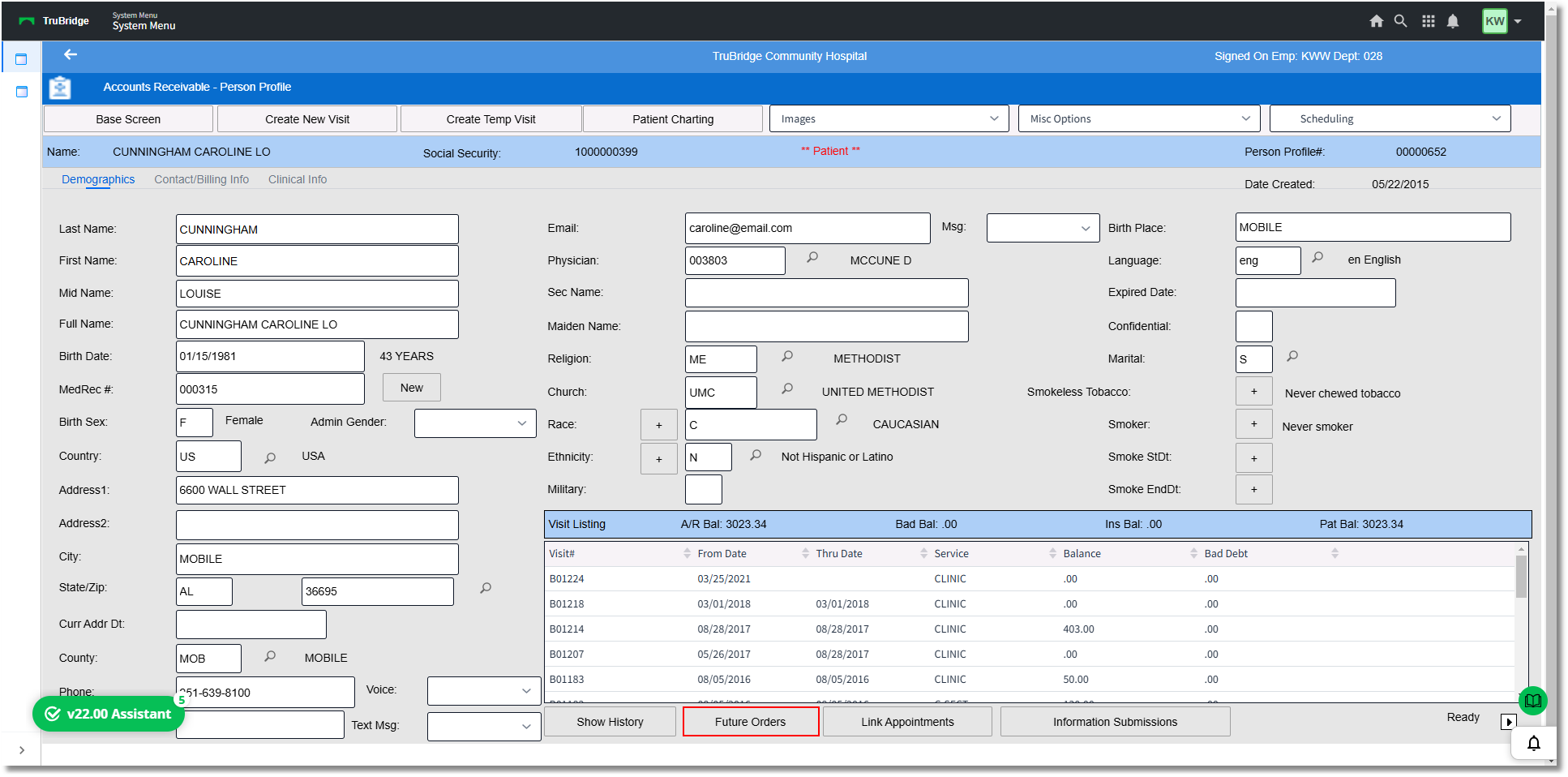
Accounts Receivable - Person Profile
Selecting orders and then selecting Release Selected Orders will prompt the user to create a new visit/account number. This must be created so that the orders can be released to that account.
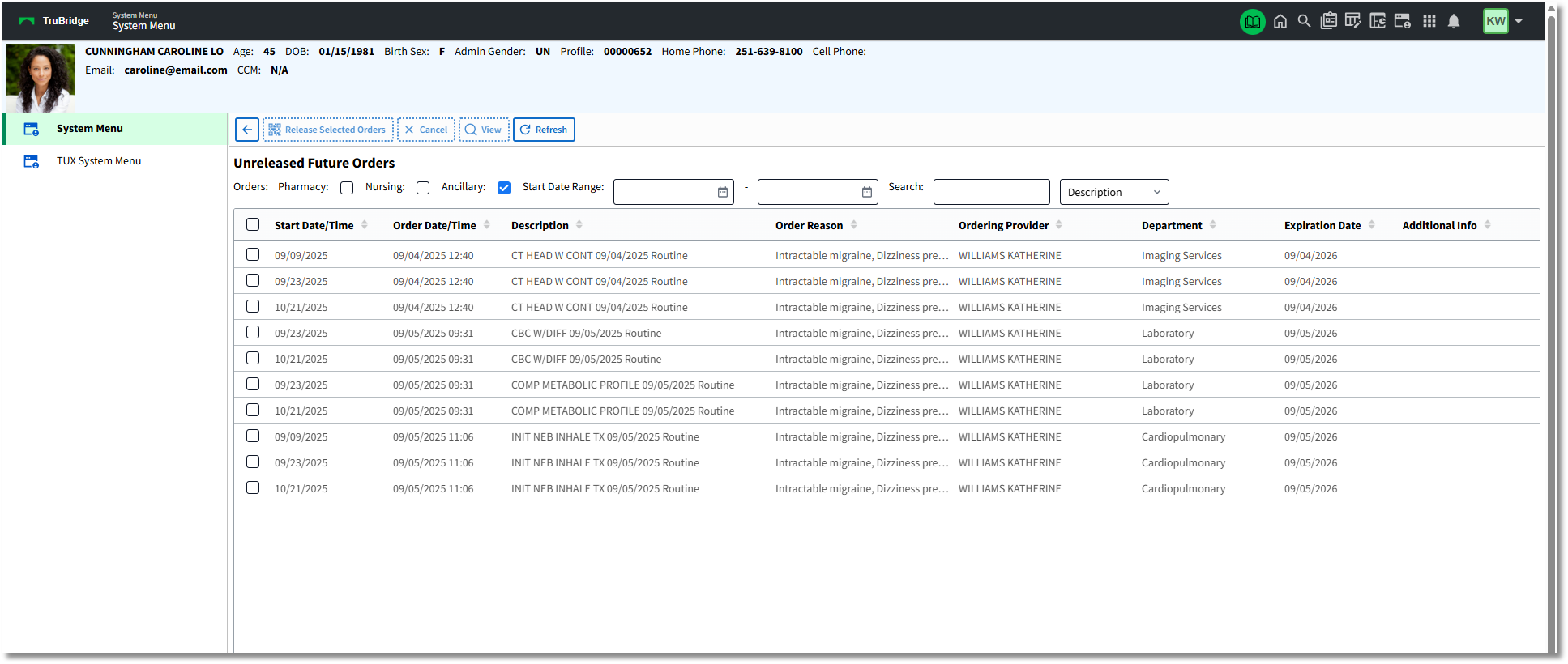
Unreleased Future Orders - Profile (System Menu)
Orders may also be released from the patient Census.
Select Web Client > System Menu > Hospital Base Menu > Enter Patient Account Number > Census > Future Orders
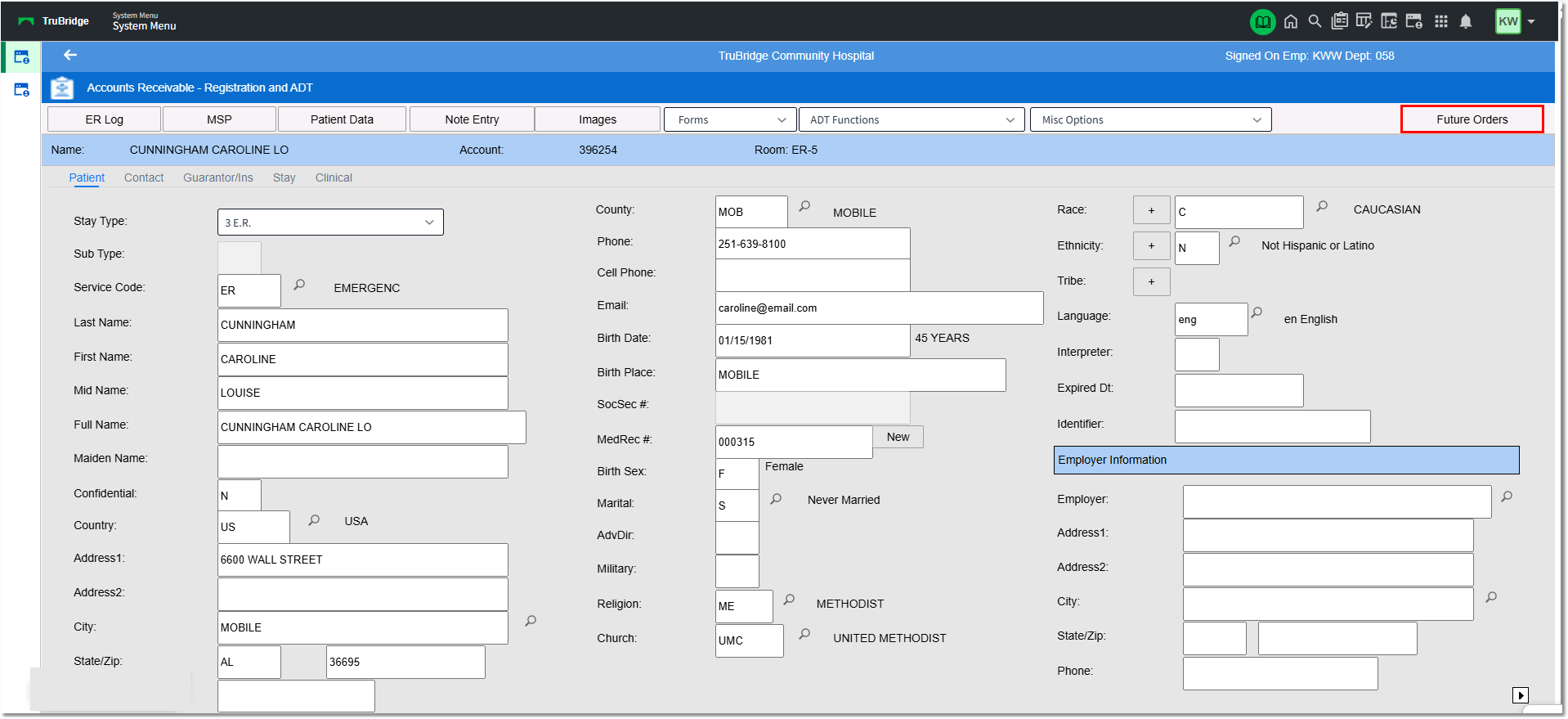
Registration and ADT (System Menu)
Search the Unreleased Future Orders screen and select the order(s) to release. Department check boxes are available to narrow or expand the view for Pharmacy, Ancillary, and Nursing Order types. A Start Date Range option is available to narrow down the date range. A Search box is available to search by Description or Order Reason. Select the orders to be released for the visit by selecting the check box to the left and selecting Release Selected Orders. To release ALL Future Orders for the patient visit, select the check box in the header line and select Release Selected Orders.
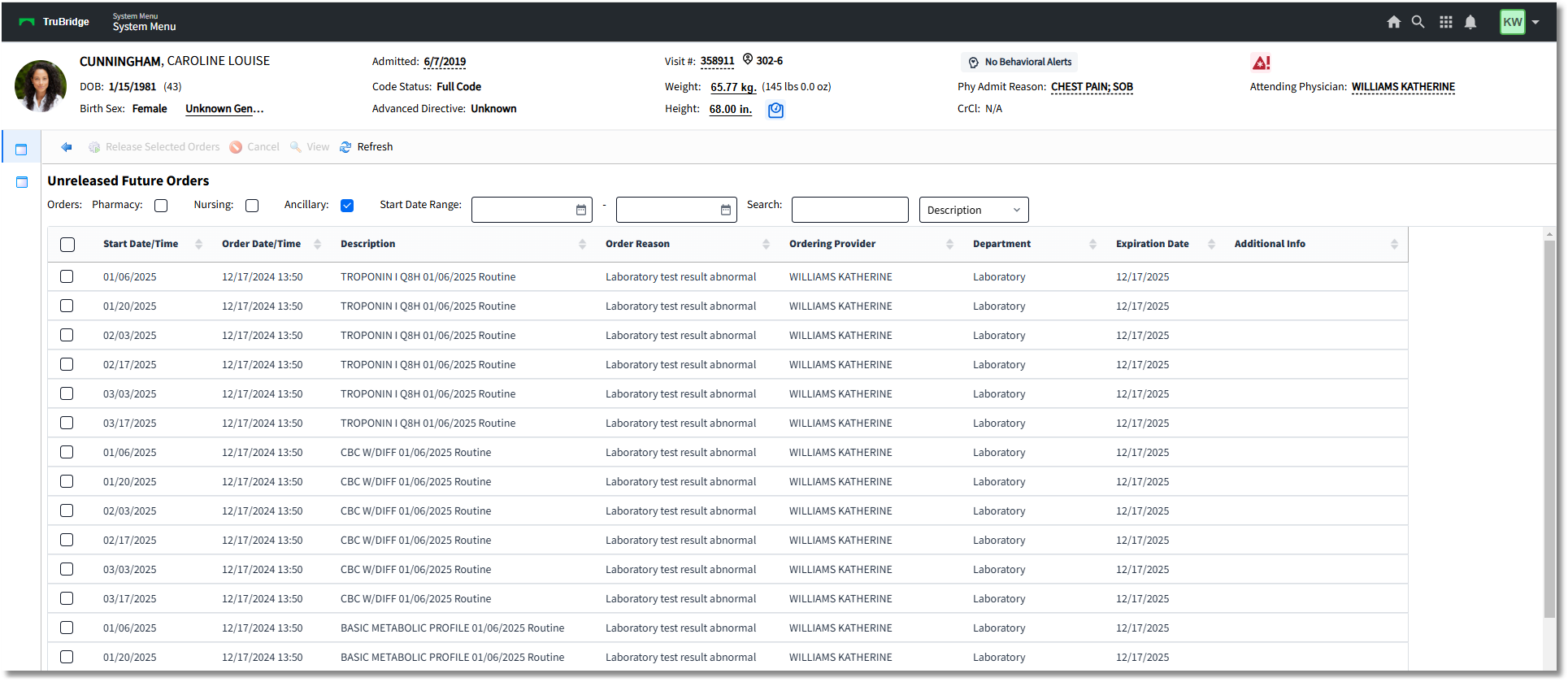
Unreleased Future Orders - Registration and ADT (System Menu)