|
<< Click to Display Table of Contents >> Document an Immunization Not Given |
  
|
|
<< Click to Display Table of Contents >> Document an Immunization Not Given |
|
Documentation may be added when a vaccine cannot be administered due to certain patient disorders, situations, or findings.
1.To document the reason a vaccine cannot be administered, select Add New.
2.In the Search by Vaccine Description box, begin typing the vaccine description. As you type, a list of possible matches appears. Continue typing to narrow down the list.
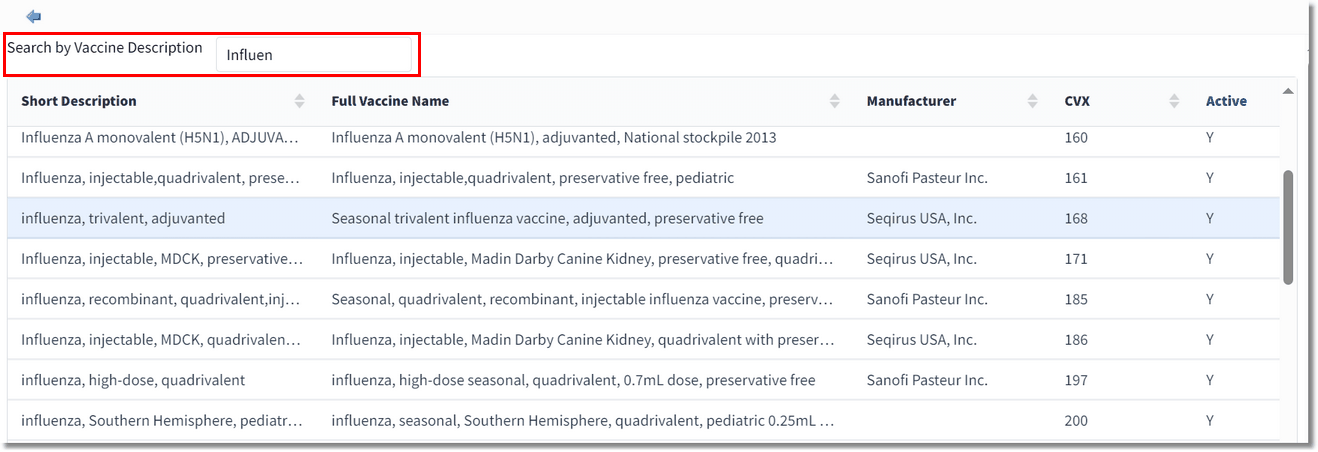
Search by Vaccine Description
3.When you locate the desired vaccine, double-click to select it. The Immunization Maintenance screen displays.
4.In the Status field, use the drop-down and select Excluded or Contraindicated.
5.In the Reason Not Administered field, use the drop-down to select the reason the immunization cannot be administered.
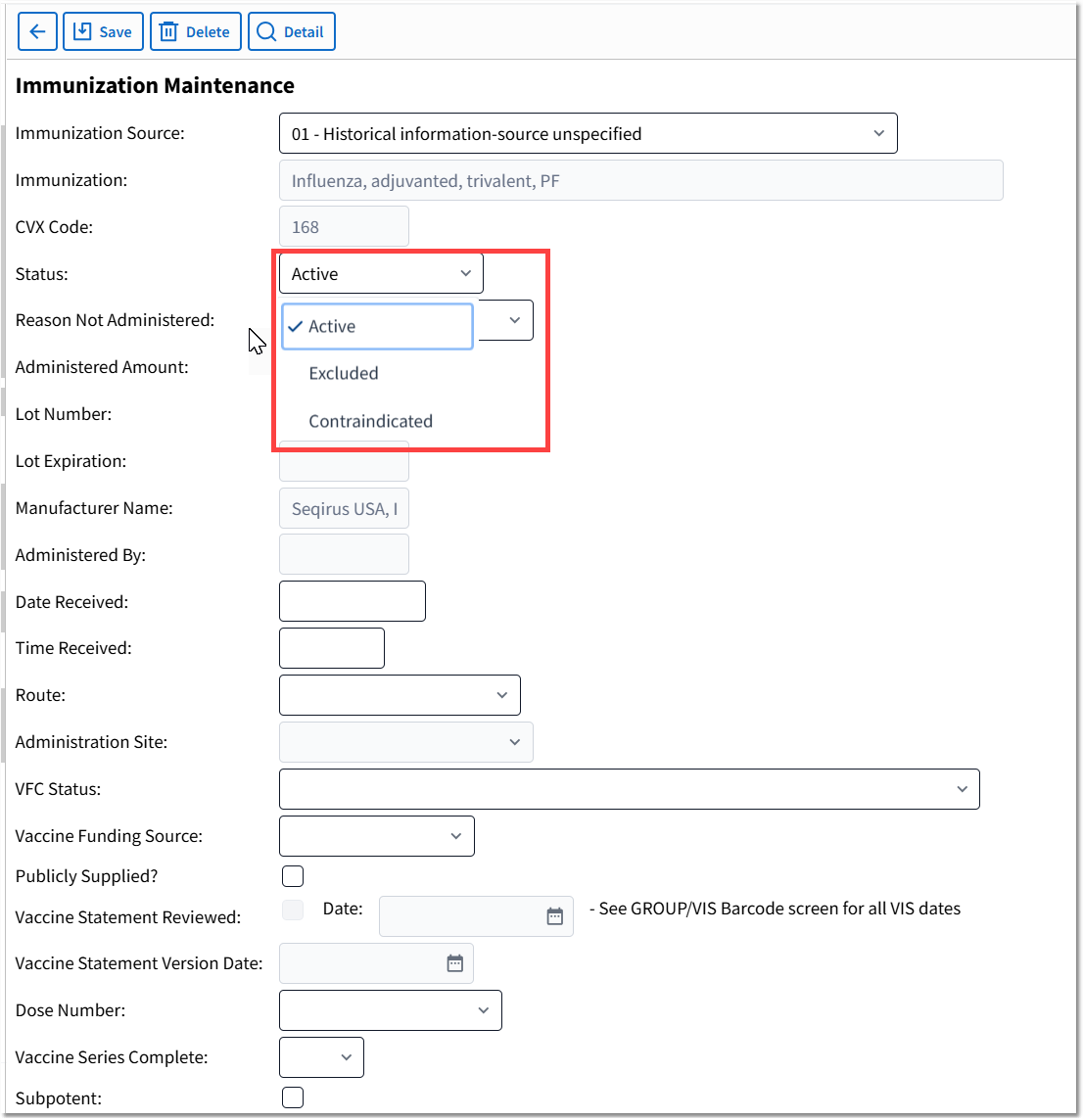
Immunization Maintenance - Reason Not Administered
6.Select Save to save the immunization information.
NOTE: Immunizations with a status of Excluded and Contraindicated will display in the patient's immunization list when the Removed Immunizations filter check box is selected.